Playtime Living Lists
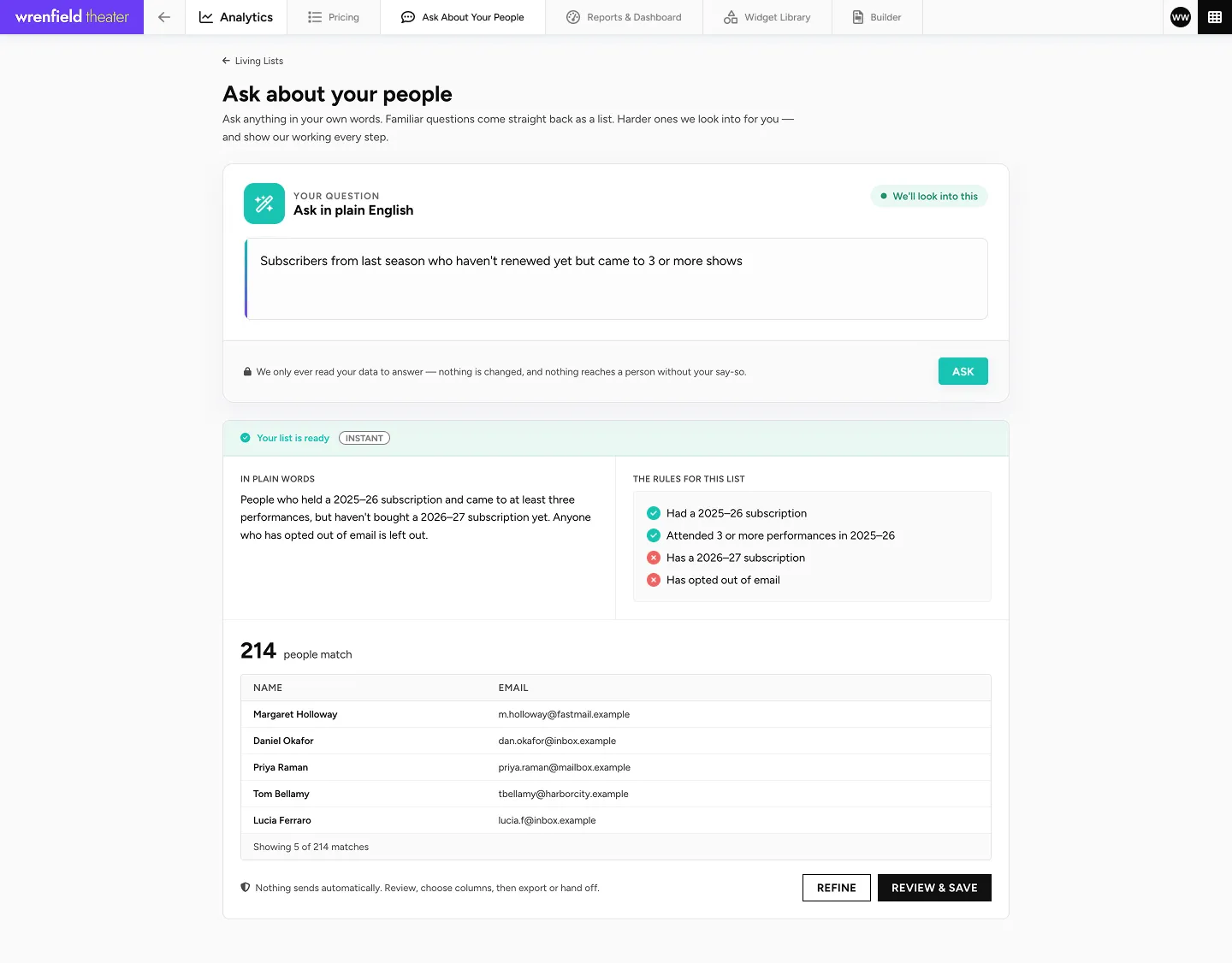
Describe who you want to reach. The list updates itself.
“Gave over $500, saw two musicals, lives in Brooklyn.” Ask in plain language and get an always up-to-date list, ready for marketing, fundraising, ticketing and reporting.
The problem
Every list is out of date the moment you export it.
Someone builds a segment, exports a CSV, and by the time the campaign goes out the data has moved. So it gets rebuilt. Then rebuilt again for the next campaign, and again for the report.
The Playtime solution
Describe it once. Use it anywhere.
Nothing to rebuild
The list you made in March is still right in September, without anyone touching it.
One list, everywhere
The same audience becomes an email list, a presale group, a dashboard widget or a fundraising segment.
Always the right information
It reflects what is true now, not what was true when someone hit export.
What’s in it
Everything Living Lists lets you do.
A living list is not an export that goes stale.
Ask in plain English
The way you’d ask a colleague.
Teach it your own terms
Tell it once what “Super Nova” means.
Get the right shape back
A number, list, table or report.
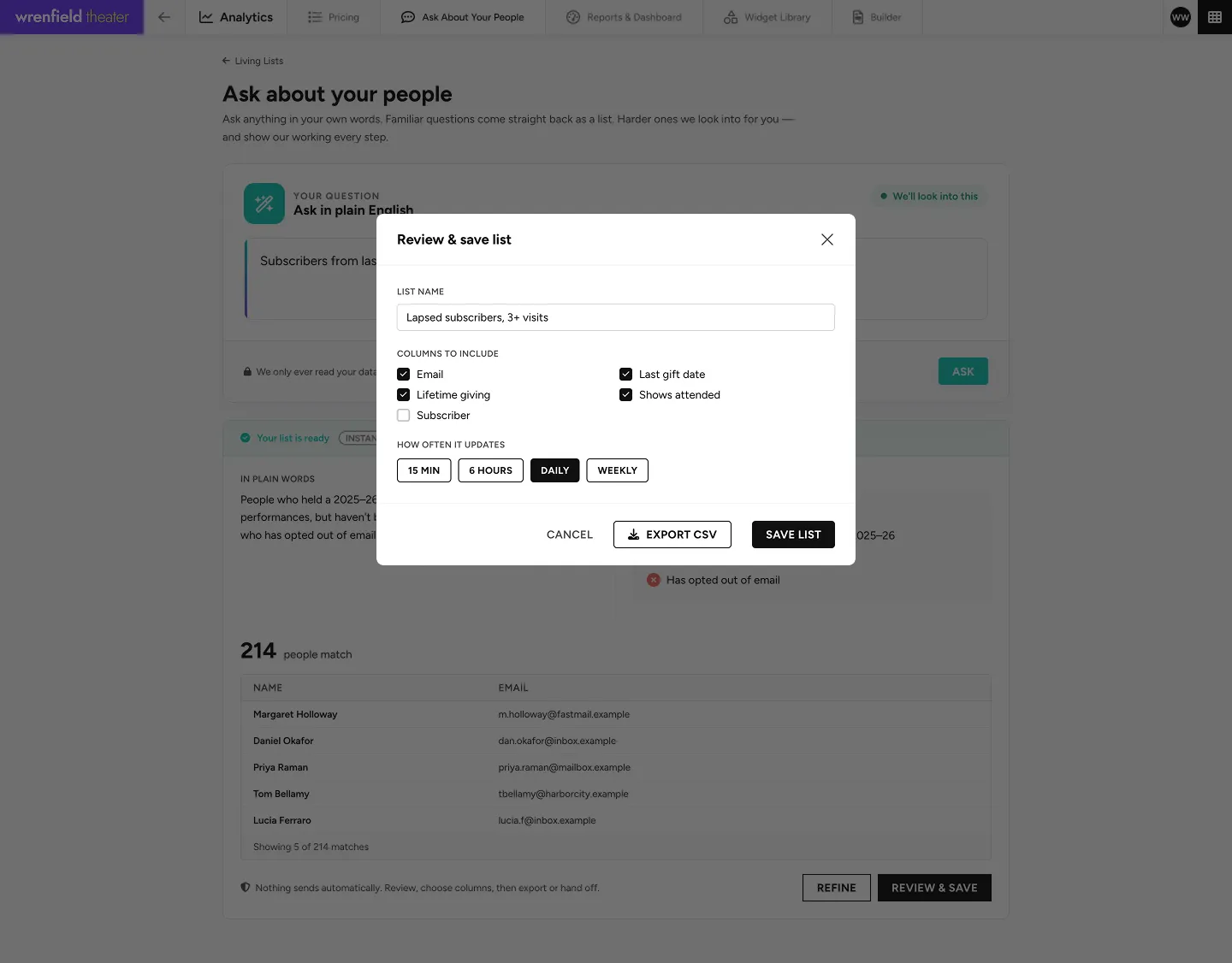
Save any answer as a list
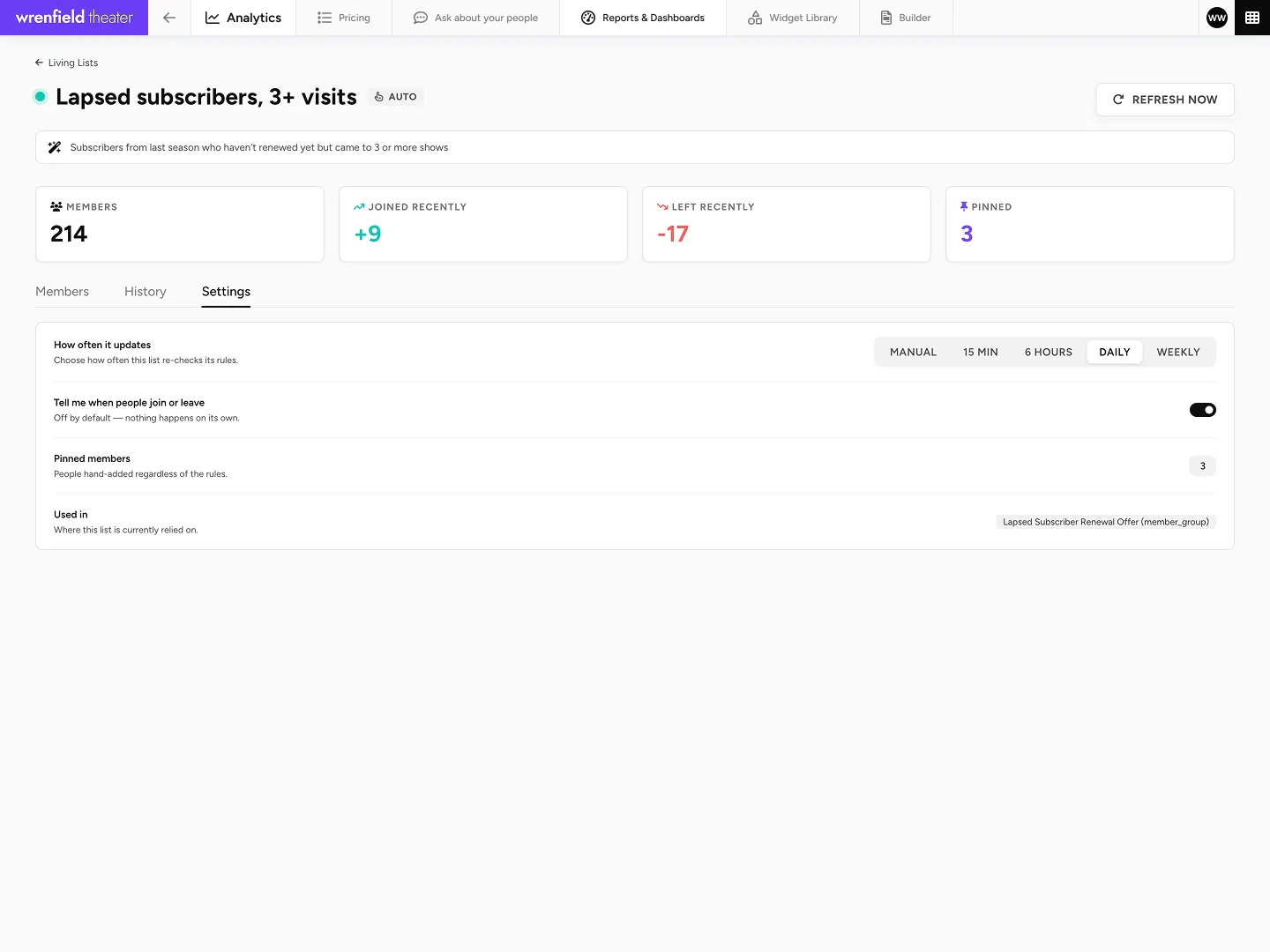
It keeps itself up to date.
Watch the list move
Who joined and who dropped out, every refresh.
Send to it directly
The list is current at send time.
Open a presale
Give the list early access or seating deals.
Chart it on a dashboard
A live widget, not a screenshot.
Hand it to fundraising
The same audience, for the development team.
How it works
Say it the way you’d say it out loud.
Step 1
Describe it
In plain English, the way you would ask a colleague for it.
Step 2
It builds the list
Across CRM, ticketing and giving data at once.
Step 3
Use it anywhere
Email campaign, ticketing member group, dashboard widget.
Step 4
It keeps updating
The list refreshes itself, so it is right the next time you open it.
Trust
Every list is built from your data, without changing a thing.
Enforced by the database, not by a promise.
No risk to your records
Building a list only reads your records, so there’s no risk of a donor record being changed or lost.
Your organization only
Every question stays inside your own records. It can’t reach another organization’s data.
Never slows you down
Every question is capped at fifteen seconds, so building a list never slows down the rest of Playtime.
Check it’s right
Every list shows exactly what it was built from, so you can check it’s accurate before you use it. No surprises.



Book a demo
Describe an audience and see what comes back.
Book a demo and watch a living list build itself.
or email playtime@qed.software